You can identify fraudulent traffic quickly, but if you still have to switch to another interface, copy an ID, and change settings manually after the analysis, the process slows down again.
This is a common scenario in anti-fraud analytics: you identify a traffic source with a high fraud score, review the data, decide to block it, and then switch between the report and channel settings.
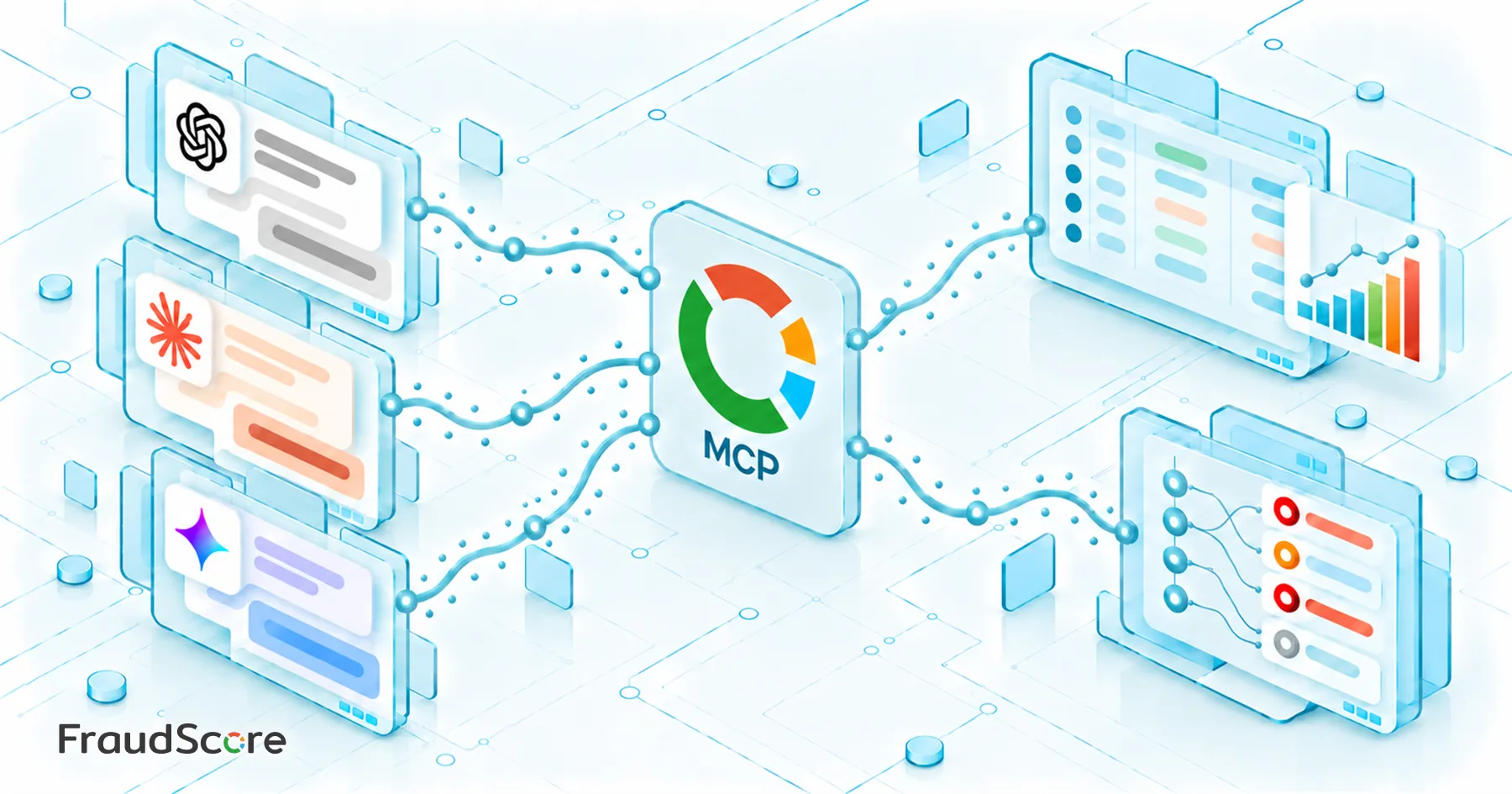
We decided to streamline this process and launched two MCP servers for FraudScore. You can now query data through AI and add selected traffic sources to the blacklist when necessary, all within the same workflow.
MCP (Model Context Protocol) connects an AI model to FraudScore. The user describes a task in natural language, and the model determines which tool is needed to complete it and passes it the required parameters.
Access FraudScore Data Directly in AI Chat
The first MCP server provides access to the FraudScore Data API. Instead of working through the reporting interface, you can query the data directly in an AI chat.
For example: “Show me the top traffic sources by fraud score for September.”
The model determines what data is needed to answer the request, constructs the API request, and returns the results.
This isn’t limited to installs. The Data API can also be used to work with custom events, including registrations, purchases, levels, and other in-app events. Data can be retrieved row by row or in aggregated form, grouped by offers, traffic sources, and dates, with filters and sorting applied. You can also match installs with subsequent events and analyze the results using the breakdowns that matter to you.
Some parameters don’t need to be specified explicitly. If they can be inferred from the request, the model can fill them in automatically.
Access remains restricted: the model can only see the channels the user has access to. The server itself operates in read-only mode and does not allow data to be modified.
From Analysis to Action
The second server handles the next step: managing the channel blacklist.
For example: “Add affiliate_123 to the blacklist.”
The model first retrieves the list of available channels and the current filter settings, then updates the configuration.
This matters because the API accepts the entire blacklist configuration. You can’t simply add a new value without checking the existing settings, as this could accidentally overwrite sources that have already been blocked. That’s why the model first retrieves the current configuration, adds the new value, and only then submits the updated configuration.
Because changing the blacklist directly affects traffic, these actions are best performed with user confirmation. MCP clients can request confirmation before write operations, and we recommend using this mode.
Use Both Servers in One Workflow
Each server solves a specific task on its own. Together, they let you handle the entire workflow in a single conversation – a workflow that previously required several manual steps.
For example, you can ask: “Show me the traffic sources with the highest fraud scores over the past week.” After reviewing the results and looking into the data for several sources, you can then say: “Add affiliate_123, affiliate_456, and affiliate_789 to the blacklist.”
There’s no need to export a list, copy IDs, switch between reports and channel settings, and then search for the same sources again.
The main benefit isn’t just saving a few clicks. Analysis and action become part of the same workflow: you don’t have to leave the conversation to go from identifying a problematic source to blocking it.
This is especially convenient for anti-fraud teams, where this cycle is repeated constantly. The fewer manual steps between identifying a problematic source and responding to it, the faster teams can make decisions about traffic.
MCP isn’t meant to replace the FraudScore interface. Instead, it gives the model access to the tools the team already uses.
How to Connect
Access to the FraudScore MCP integration is available on request. Tokens are currently issued manually – there is no self-service interface for creating them yet.
The token identifies the account and the channels available to the user, so it should be treated as a secret and never shared in public chats or repositories.
You don’t need an AI client to use the MCP servers. If you don’t have a suitable client or want to integrate the tools into your own service, you can also access both servers directly via JSON-RPC. The protocol and the set of available tools remain the same.
If you’d like to connect the MCP servers to your FraudScore account, request access from our team or contact your account manager.