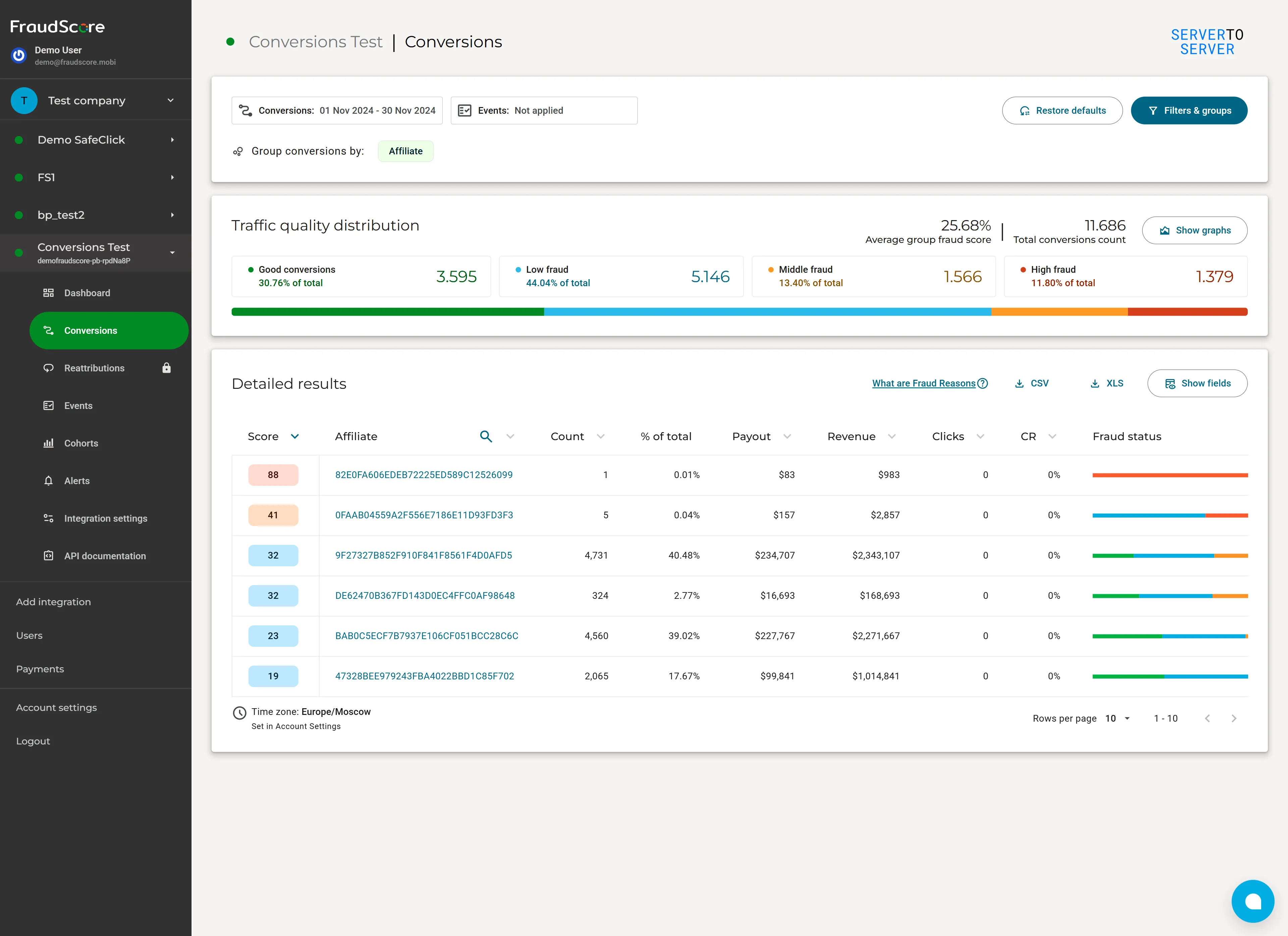
We’ve updated the Conversions Report in FraudScore. The interface has a fresh new look, but the bigger change is how you work with filters, groupings, and table fields.
Instead of waiting for the report to refresh after every change, you can now configure everything you need first - and apply all your changes at once.
What’s new
A refreshed interface
We’ve completely redesigned the report, including the metric cards, traffic quality widgets, charts, and results table.
The core functionality remains the same. You can still analyze conversion check results, filter and group your data, assess how traffic is distributed across risk levels, and work with detailed conversion data.
Filters and groupings - configured in one place
In the previous version, report settings were spread across different parts of the interface. Some changes took effect immediately. For example, selecting a grouping would trigger the data to refresh.
As a result, configuring a complex report could look like this:
change a setting → wait for the report to refresh → change another setting → wait again.
When you needed to combine multiple filters and groupings, you could end up going through several refreshes before getting to the data you actually wanted to analyze.
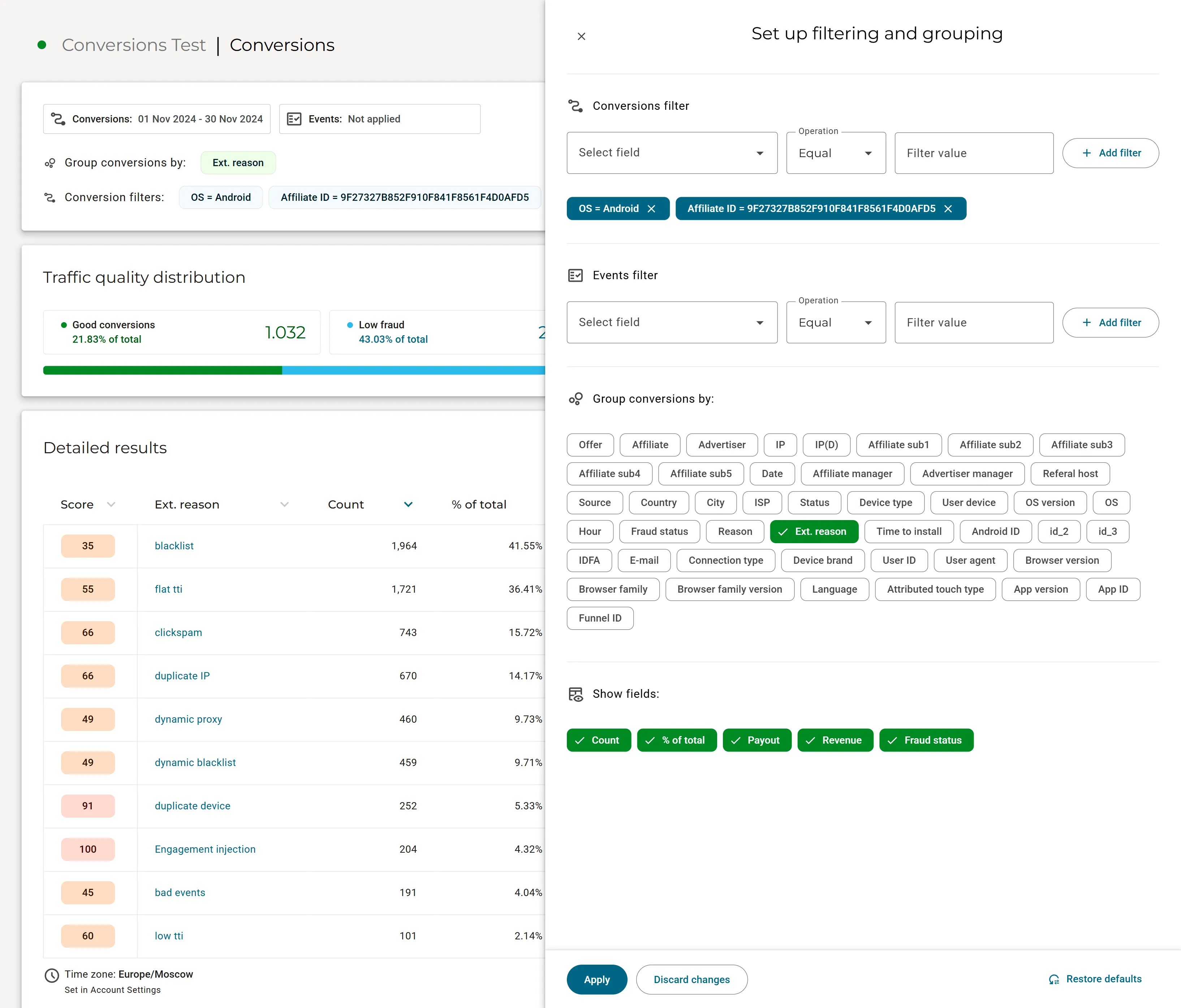
The new Set up filtering and grouping panel, available through Filters & groups, changes that.
You can configure your report before applying any changes:
- add multiple conditions in Conversions filter
- configure the Events filter
- select one or more options in Group conversions by
- choose which columns to display in Show fields
While you’re adjusting these settings, the report stays as it is - there’s no refresh after every change.
Once everything is set up, simply click Apply. All selected settings are applied at once, and the report refreshes with the new configuration.
Why it’s more convenient
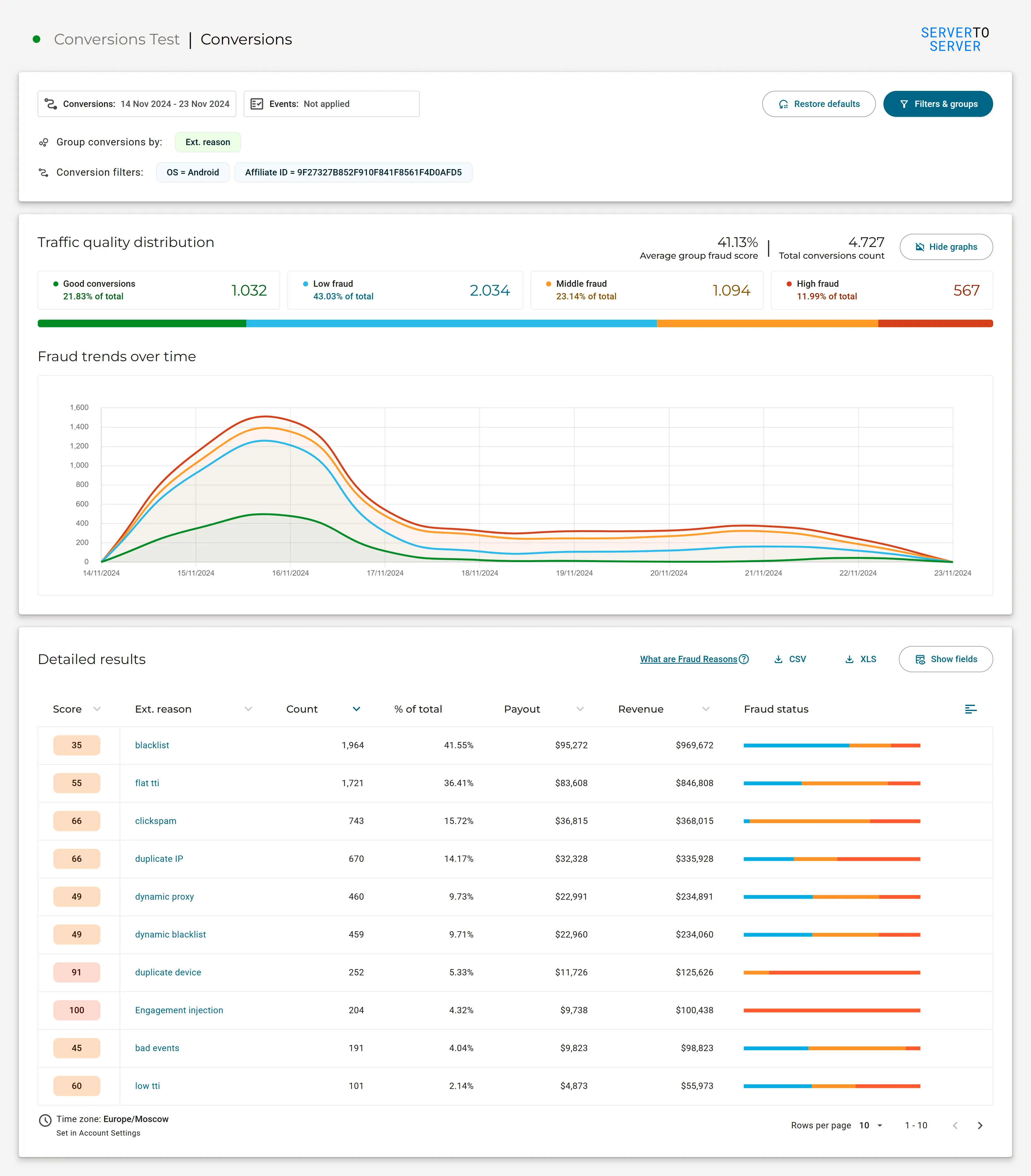
This approach is especially useful when you need to build a more complex data view.
You can add multiple filter conditions, select the necessary groupings, and customize the table - then apply everything in one go.
That means:
- less waiting between actions
- fewer intermediate report states
- more freedom to experiment with different combinations of settings
- more control over the report configuration before refreshing the data
Changed your mind while configuring the report? Use Discard changes to cancel any unapplied changes. Restore defaults returns the settings to their default values.
What’s next
The Conversions Report is the first report to move to this new filter panel experience.
We plan to bring the same approach to other FraudScore reports, creating a more consistent way to work with filters, groupings, and displayed fields across the platform.
The updated Conversions Report is already available in your FraudScore account.
For a detailed overview of the report and its available settings, see the documentation.